Catchall Guide
Contents
What is a Catchall?
A catchall account is an email address that collects all the mail sent to your domain name not sent to the other email addresses known to the server. Any emails sent to recipients at your domain, for example, will be "caught" by the catchall account.
Example:
- My domain is @HOR.Club
- Any email with @HOR.club at the end of it will be forwarded to my main email once setup correct
These could include:
How to create a Catchall
1. Create an account at https://www.namecheap.com/
2. Next, head over to Namecheap.com and figure out a custom domain that you would like to use. You can check if they are available via think link https://www.namecheap.com/domains/domain-name-search/
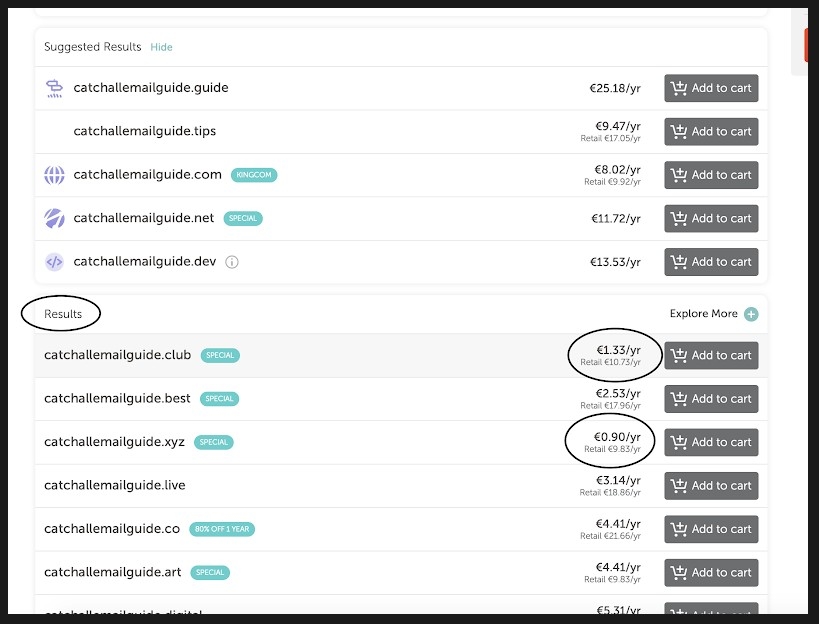
3. Once you have entered your desired domain, Namecheap will show you which domains are available to buy and there yearly cost. The cheapest domains can be found via this link:
4. Once you have selected your desired catchall, click add to cart and checkout! Tips: The catchall that you choose does not matter unless you are using it for business purposes. The more obscure the domain and catchall, the cheaper the service will be yearly!
Setting up your Catchall
Overview
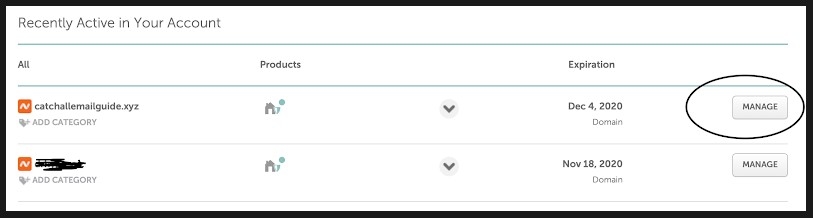
1. Once you've purchased the Domain, go to your Dashboard by clicking on your Account Name and selecting Dashboard. https://www.namecheap.com/myaccount/login/?ReturnUrl=%2fdash
2. Select "Manage" on your desired Catchall and scroll down to "Redirect Email". Click on "Add Catchall" and enter the email address you would like to recieve all emails on (This will be your main personal one).
3. It can often take up to 30mins for the process to fully complete. You can check if it is complete by sending an email to your catchall and seeing if it ends up in your inbox.